
Put a coupon in your Instagram bio, Meta or Google ads
Turn a coupon into a public sign-up page and a short link you can share anywhere online.
Who it's for
Owners with followers or an ad budget who want online attention to become real contacts and visits.
What you'll get
A public coupon page that collects name, email, phone and birthday, a short link with click counts, and new contacts recorded with Coupon as their source.
Create the coupon
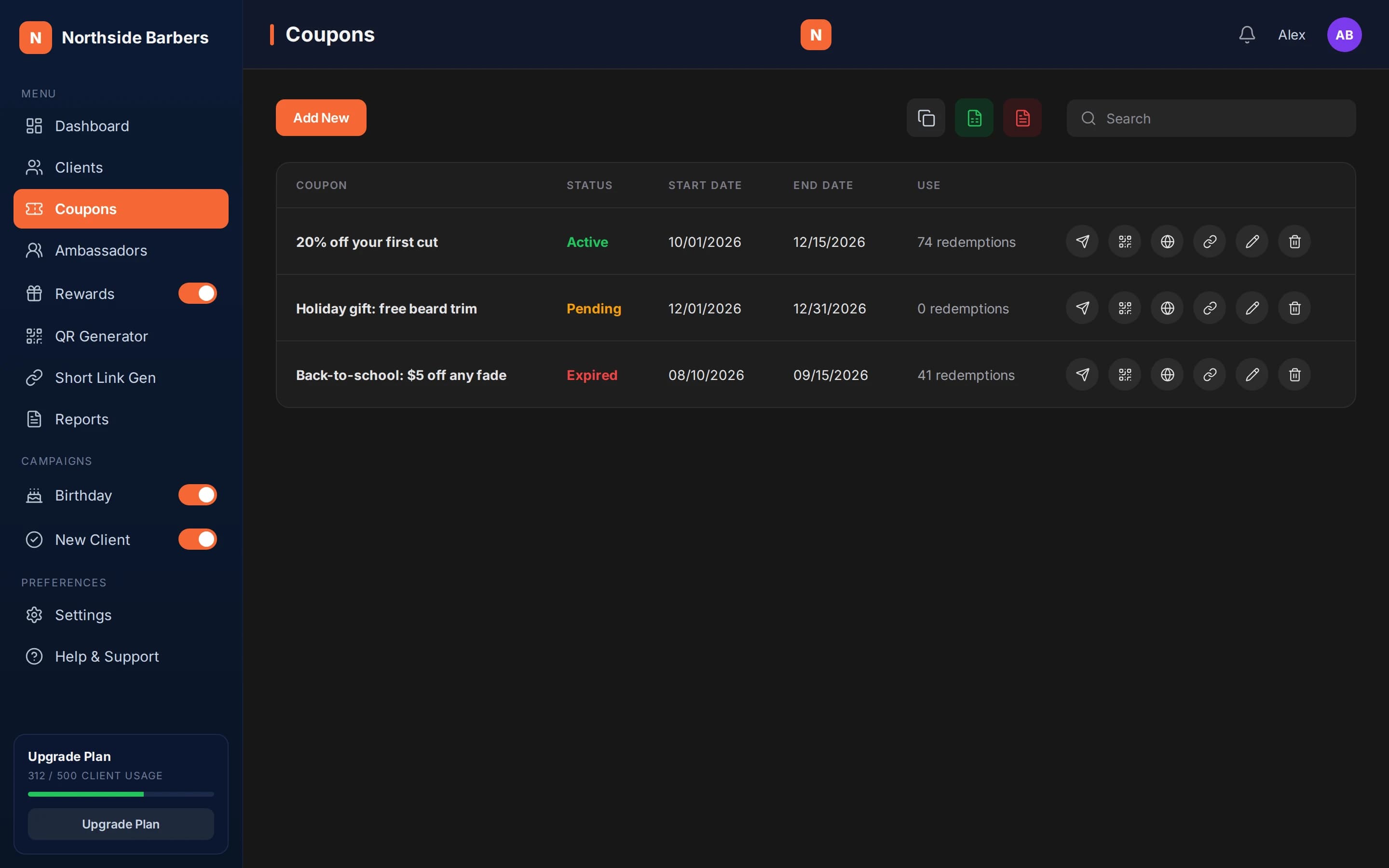
Start from a coupon with a clear offer and dates, as in the first-coupon playbook. If the coupon expires, its sharing actions are disabled, so pick an end date that covers your post or campaign.
Generate the public page
Use the external campaign action on the coupon. You get a public URL showing your logo, the coupon title, description and validity. Visitors fill in name, email, phone and birthday, then receive the coupon with their QR by email. If they are already in your list, the QR is resent; if they already redeemed it, they are told so.
Make a short link
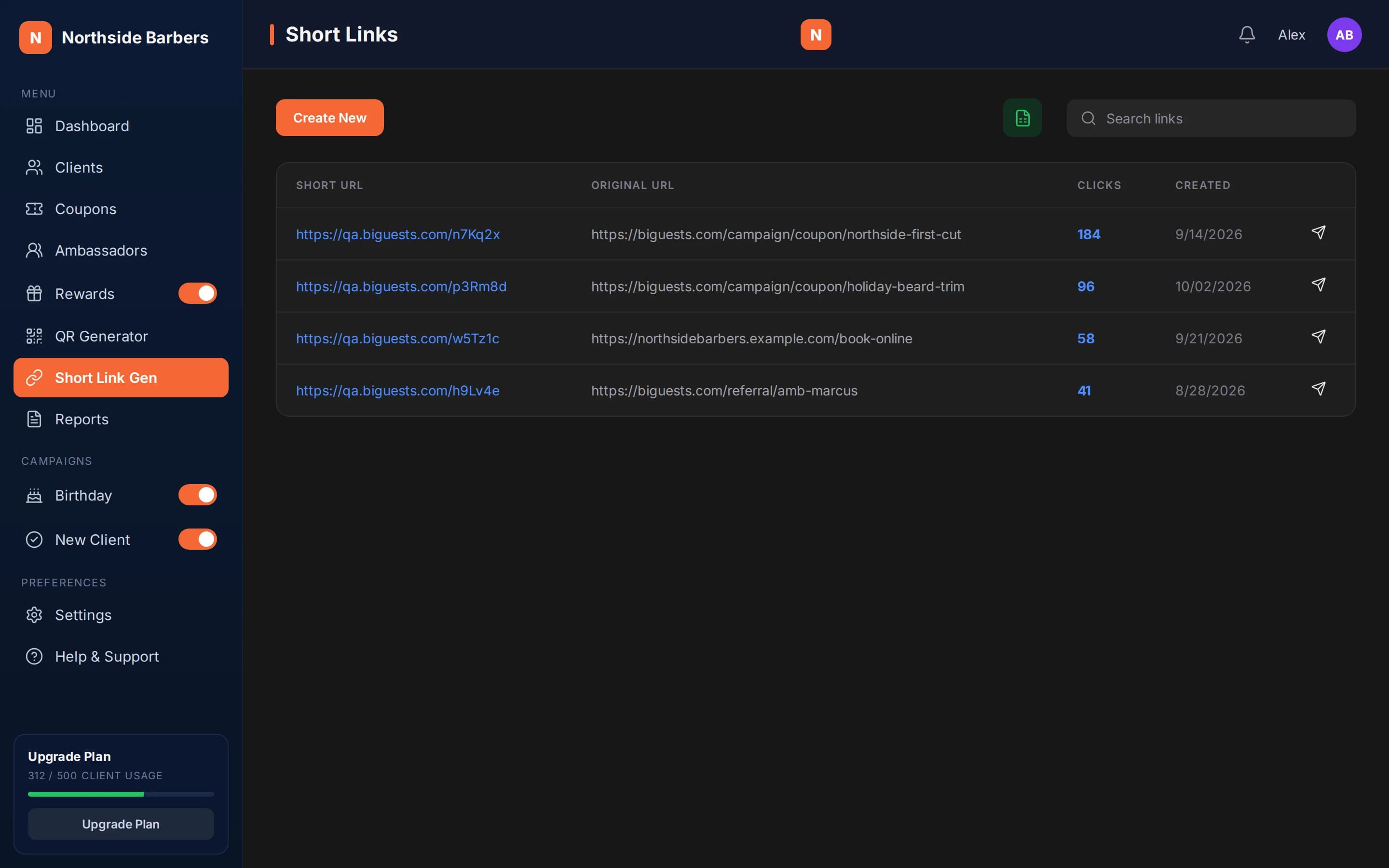
Use the short link action on the same coupon. The short link is easier to read in a bio and counts every click. Copy it with one click from Links. Avoid deleting a short link once it is published, because it will stop working.
Place it
Put the short link in your Instagram bio and mention the offer in your posts. Share it yourself in your WhatsApp or SMS conversations if you like; Biguests does not send those messages. For Meta or Google ads, use the link as the destination. Before running ads, check each ad platform's policies for promotions and data collection. We can't promise approval or results.
Compare clicks with sign-ups and redemptions
Clicks show up on Links. New sign-ups appear in Clients with Coupon as their source, and redemptions show on the coupon. If many people click but few sign up, simplify the offer text. If people sign up but few redeem, check the dates and the conditions.
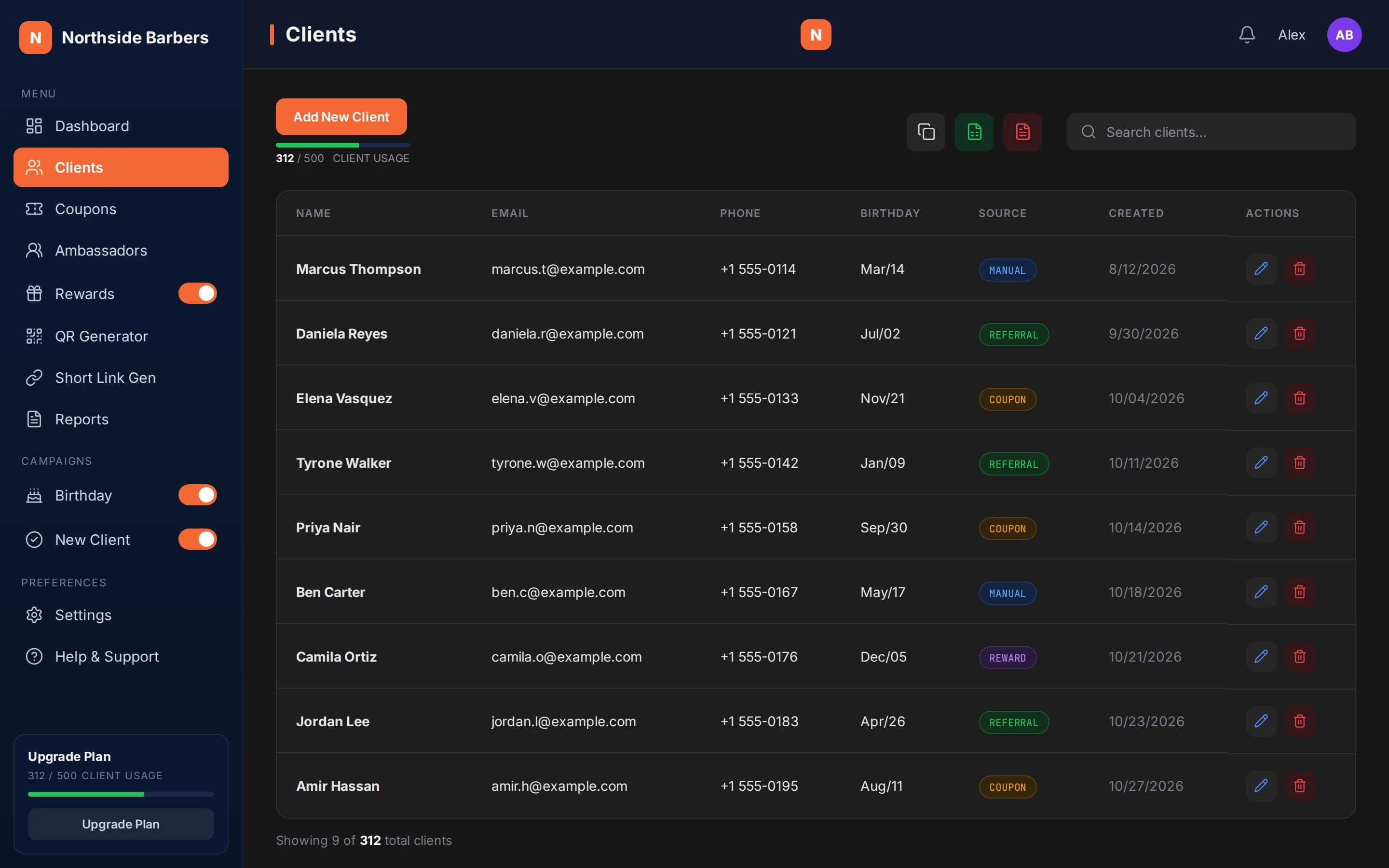
At the fictional Northside Barbers, Alex generates the public page for "20% off your first cut" and creates a short link for it. He puts the short link in his Instagram bio and pins a post about the offer.
Over two weeks, he checks the click count on Links, sees the new contacts in Clients marked with Coupon as their source and watches the redemption count on the coupon. Those numbers tell him whether to keep the post pinned or rewrite the offer.
Checklist
- Coupon dates cover the whole campaign
- Public page generated and tested on your phone
- Short link created and copied
- Link added to bio, posts or ads
- Each ad platform's policies checked before running ads
- Clicks, sign-ups and redemptions reviewed