
Your first coupon in 10 minutes
Create a coupon, send it to your clients and redeem it at the counter with your PIN.
Who it's for
Any owner who has never run a coupon in Biguests and wants to see the whole loop work once, from creating an offer to approving it at the counter.
What you'll get
One live coupon, sent by email to your client base, plus a test redemption so you and your team know exactly what happens at the counter.
Write the offer in plain words
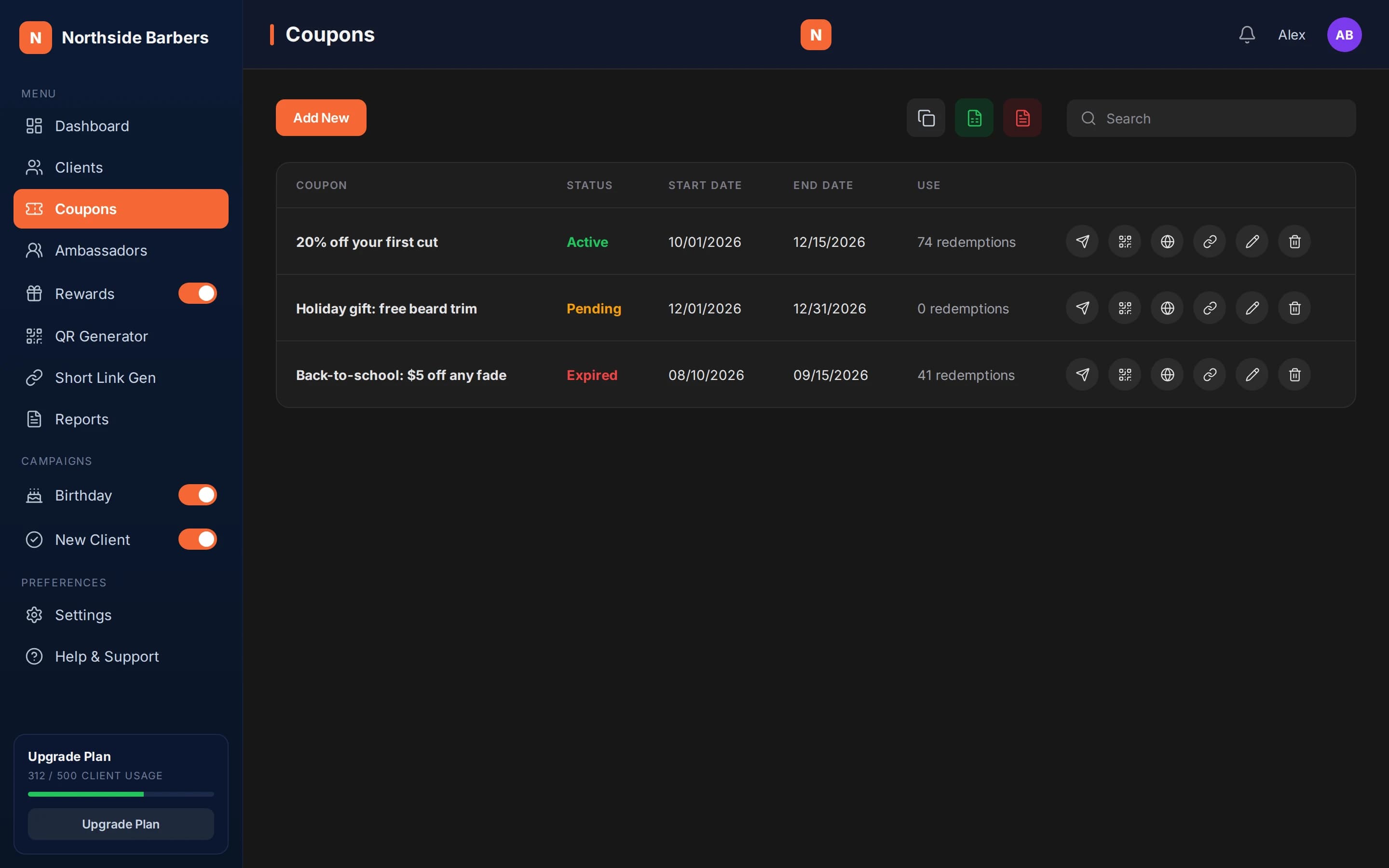
Go to Coupons and create a new one. The title is what people see first, so make it the offer itself: "20% off your first cut" works better than "Summer promo". Use the description for the conditions, such as which services it covers. There is no discount calculator: you describe the offer any way you like, and your team honors it at the counter.
Pick the start and end dates
The coupon is Pending before its start date, Active between the dates and Expired after the end date. It can only be redeemed while it is Active. A window of a few weeks gives people time to come in without letting the offer drag on.
Send it to everyone in your list
Use the send-to-all action on the coupon. Each client receives an email with the offer and a personal QR code that already identifies them. If your list is still small, add a few clients by hand first, or skip this step and use the public link from the Instagram playbook instead.
Run a test redemption
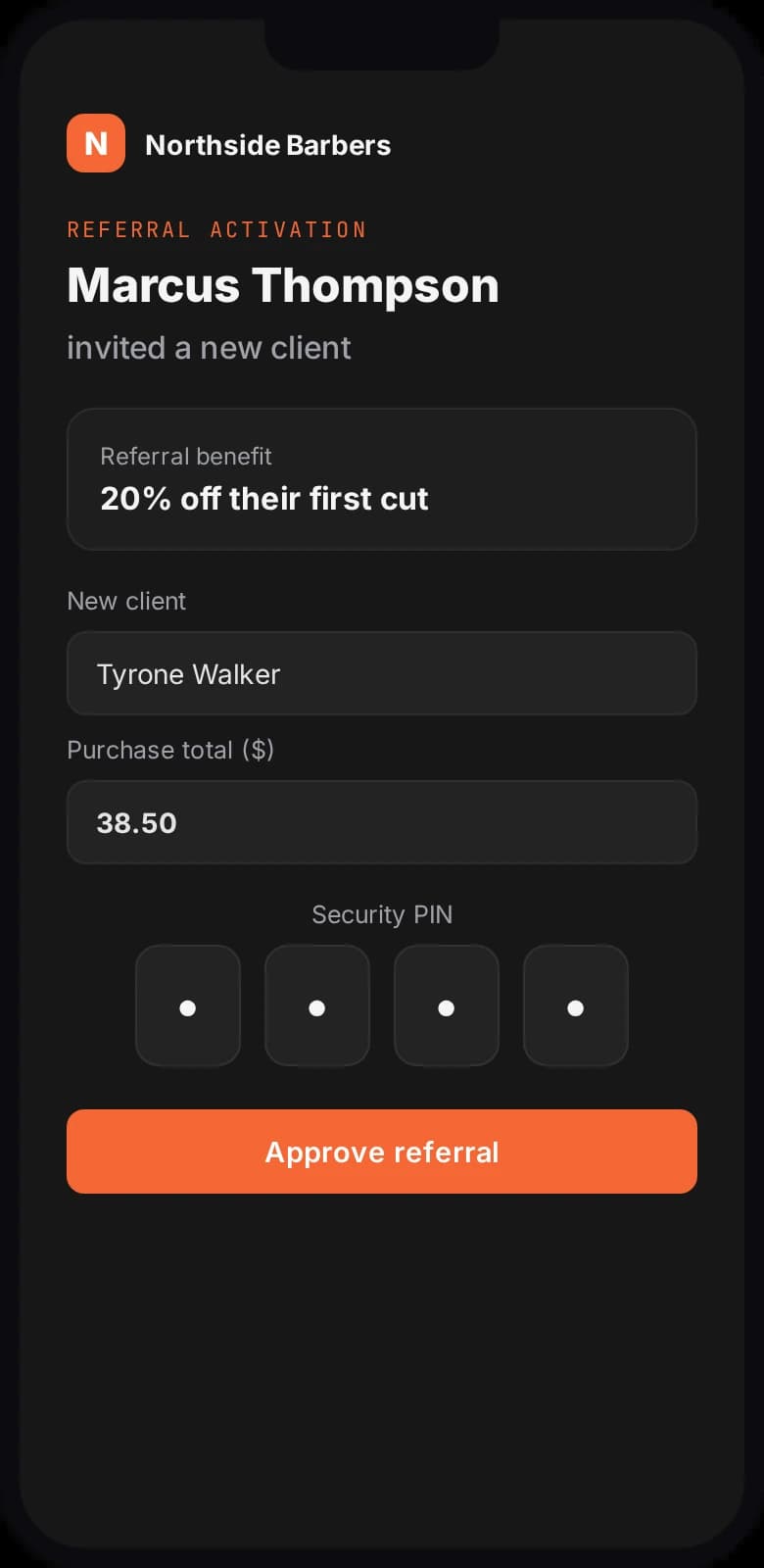
Send the coupon to yourself (add yourself as a client) and open the email on your phone. On a second phone, open the redemption terminal, tap to scan and point the camera at your QR. The terminal shows the coupon with the client details filled in. Enter your 4-digit PIN and the coupon is redeemed. Try scanning it again: it will not redeem twice for the same person.
Brief your team
Your staff only need the terminal page and the PIN. Tell them the rule in one sentence: scan the customer's QR, check it shows the right coupon, enter the PIN. Then watch the redemption count on the coupon and the Redemptions card on your dashboard over the following days.
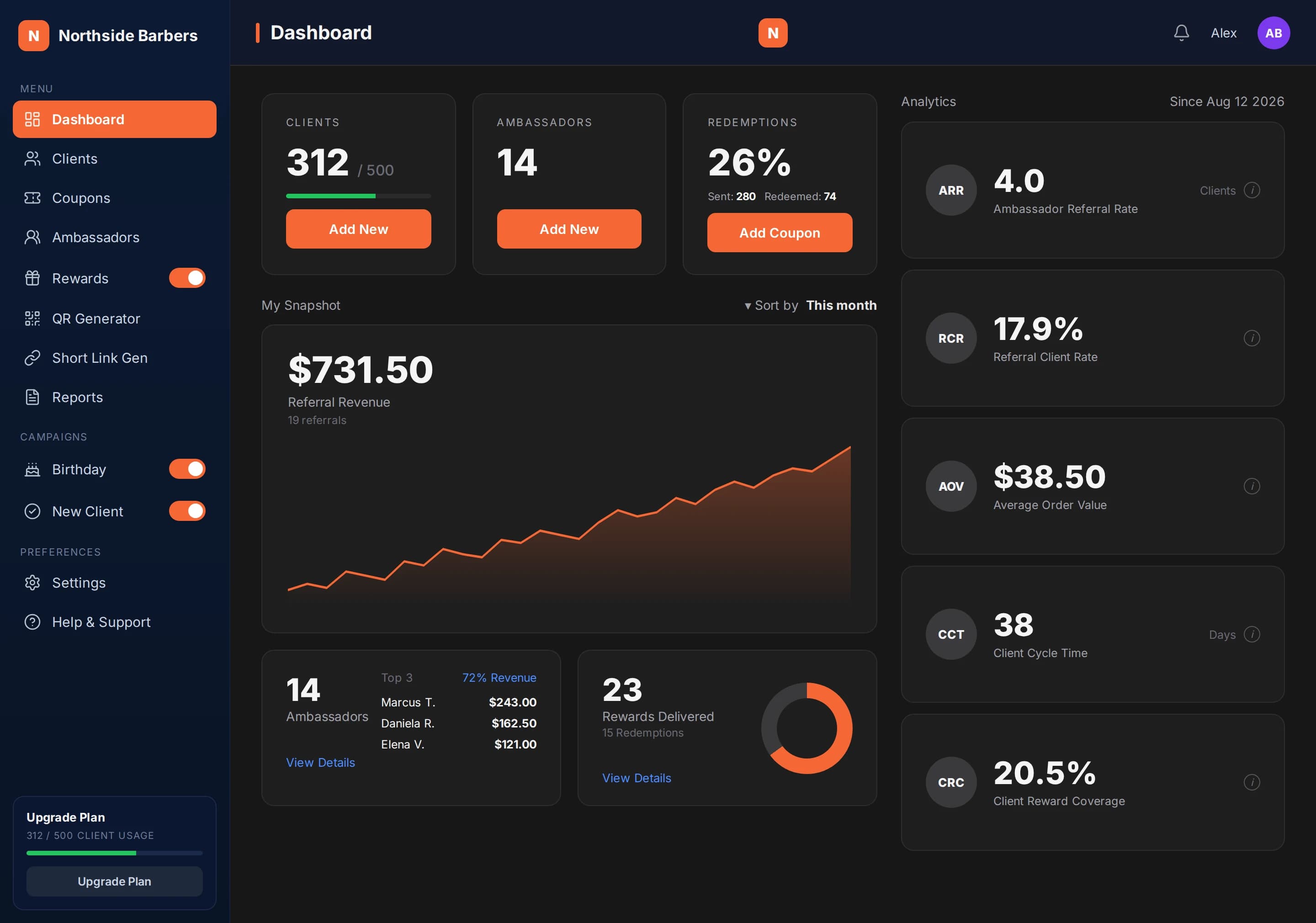
Northside Barbers is a fictional shop we use for sample data. Alex, the owner, creates a coupon titled "20% off your first cut", with the description "Valid on any haircut, one per person" and a four-week window.
He adds himself as a client, sends the coupon to the whole list and test-redeems his own copy at the counter with the shop PIN. On a Saturday, a client shows the email, the barber scans it, sees the client already recognized and enters the PIN. Alex can see who redeemed and when, client by client.
Checklist
- The title states the offer itself
- Conditions are written in the description
- Start and end dates are set
- Coupon sent to all clients
- Test redemption done with your own QR
- Team knows where the terminal is and has the PIN