
Where to place your QR
Design a branded QR, print it well and put it where people have a moment to scan.
Who it's for
Owners who want walk-in customers to sign up for an offer or a coupon without asking staff.
What you'll get
A branded QR code that scans reliably, placed in the spots where customers actually wait, look or sit.
Start from the right link
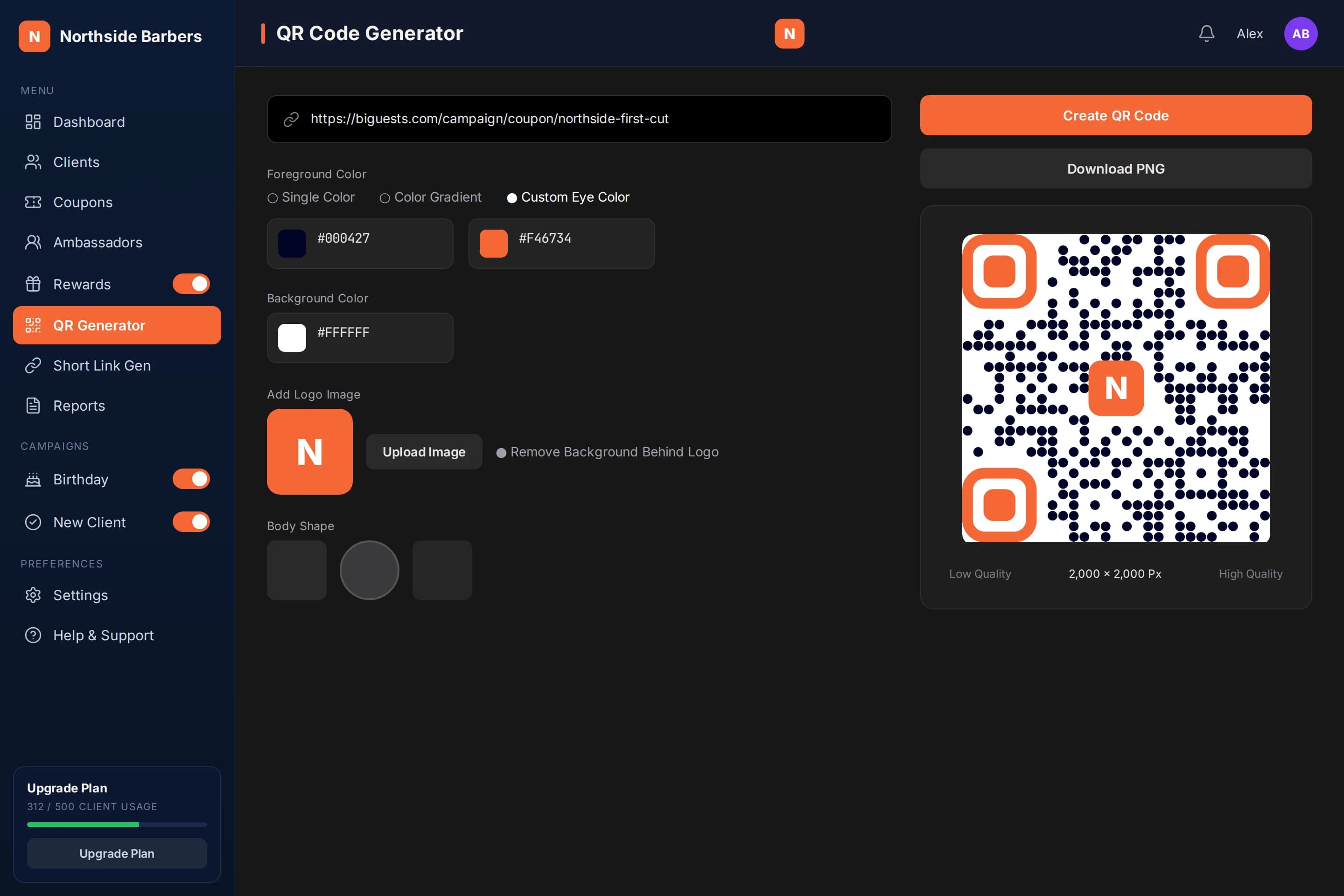
Use the QR code action on a coupon: the QR Generator opens with the coupon link already filled in. You can also paste any link, such as a short link, into the generator.
Brand it, but keep contrast high
Pick colors or a gradient, the eye color, a background and your logo in the center, and choose one of the six body shapes. Keep the code dark on a light background. Pale codes, low contrast and busy gradients are harder for phone cameras to read.
Download the high-quality PNG for print
Download the PNG in high quality for anything printed and the lower quality for screens. Print it large enough to scan comfortably from where people will stand or sit, and leave a clear margin around the code.
Place it where people pause
Good spots are where customers already have a moment: the counter while paying, tables, the waiting area, receipts or bags, flyers and the front window for people passing by. Add one line next to the code saying what they get, such as "Scan for 20% off your first cut".
Test before you print many
Print one copy, put it in place and scan it with two or three different phones, at the real distance and in the real light. Check that it opens the right page, then print the rest. Replace codes that get scratched or faded.
At the fictional Northside Barbers, Alex opens the QR Generator from his "20% off your first cut" coupon, uses the shop's dark blue on white with the logo in the center and downloads the high-quality PNG.
He prints a counter card, a mirror sticker for each chair and a window poster, each with one line about the offer. Before printing them all, he test-scans the window poster from the sidewalk with two phones. New sign-ups then appear in Clients with Coupon as their source.
Checklist
- QR points to the correct link
- Dark code on a light background
- Logo does not cover too much of the code
- High-quality PNG used for print
- One-line offer next to every code
- Test-scanned with several phones at real distance and light
- Placed at counter, tables, receipts, flyers or window